For security, the IDMS user the operator's certificate thumbprint to authenticate an operator. If the user receives a new certificate the administrator has to update the operators thumbprint.
Here are the steps to update the operator's credential:
|
Step ID |
Description |
Example |
|---|---|---|
|
1 |
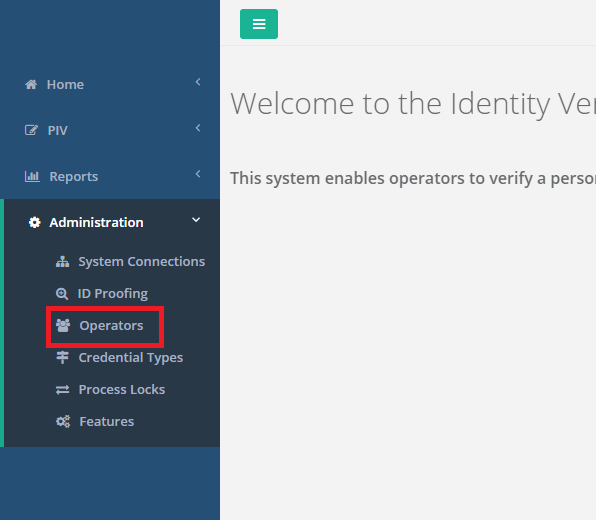
Log in to IDMS with an user who has system manager role assigned. Then press "Operators" |
|
|
2 |
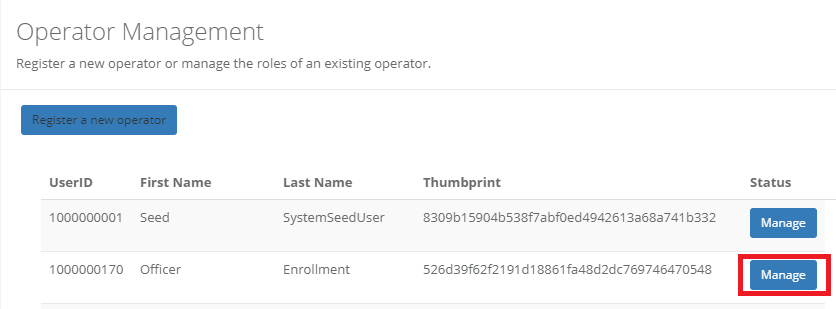
Locate the user which needs their thumbprint to be updated and click "manage". |
|
|
3 |
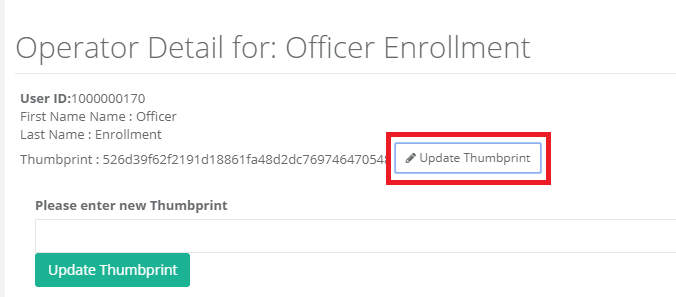
Click "Update Thumbprint" then paste the new thumbprint into the text box.
Press "Update Thumbprint". |
|