The following instructions provide the details for suspending and removing an operator's roles.
Temporarily suspension operator account
The following procedures temporarily suspend a user's account without removing their roles.
|
Step Number |
Procedure |
Example |
|---|---|---|
|
1 |
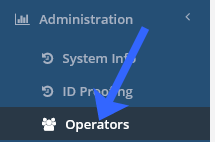
Click Administration and then click Operators. |
|
|
2 |
Locate the User ID of the operator to be changed. |

|
|
3 |
Open SQL Studio Management studio and issue the following command. In this example, the operator with User ID 1000000661 will have their account turned off. |
Update IdExchange.UserAuthenticationAccountStatus
|
|
4 |
The user will not be able to log into the IDMS. |
Permanently removing the operator roles and account
The following procedures permanently remove the operator's authentication credentials and roles.
|
Step Number |
Procedure |
Example |
|---|---|---|
|
1 |
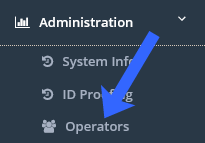
Click Administration and then click Operators. |
|
|
2 |
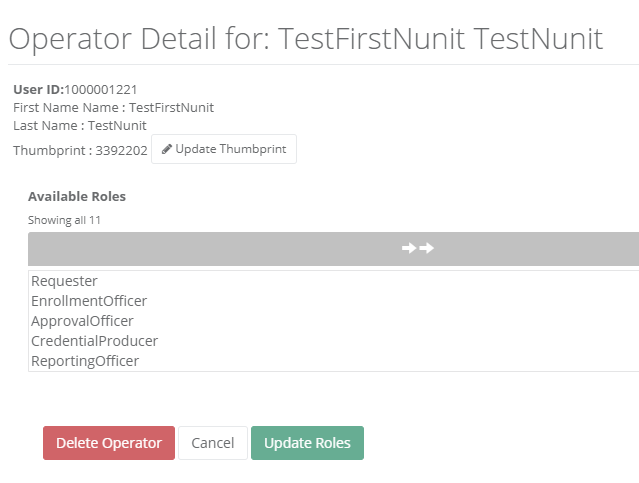
Locate the User ID of the operator to be deleted and press the Manage button. |
|
|
3 |
Scroll to the bottom of the screen and press the Delete Operator button.. |
|
|
4 |
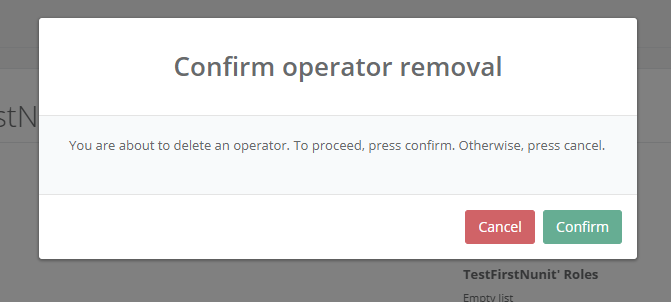
Press the Confirm button to proceed with the operator deletion. |
|
|
5 |
The operator has been deleted. |
|