
The procedures below describe how to import operators that were exported from a different IDMS.
Security permissions required: System Administrator
|
Procedure |
Example |
|
|---|---|---|
|
1 |
Log into the IDMS as a system administrator |
|
|
2 |
Click Administration, Operators |
|
|
3 |
In the Import operator list section, click the down arrow. |

|
|
4 |
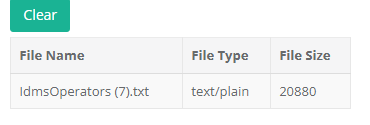
Click the Choose Files button and locate the IDMS operator file to be uploaded. |

|
|
5 |
Press the upload button. Note: The upload time can be 1-5 minutes long depending on the number of operators to be imported. |
|
|
6 |
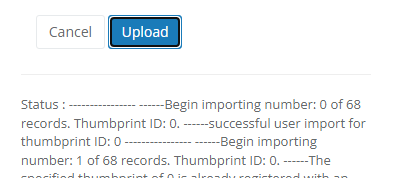
Once complete, the status section will describe the results of the import. |
|
|
7 |
Refresh the operator window to see the new operators that were imported. |

|