If an authoritative directory does not exist, and instead the user needs to be permitted anonymous access in order to apply for a credential, the IDMS can be configured to enforce security controls on the certificate validation.
|
Step Number |
Instruction |
Example |
|---|---|---|
|
1 |
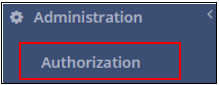
Authenticate as a system manager Click Administration |
|
|
2 |
Click Authorization |
|
|
3 |
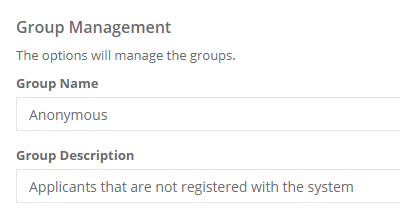
Click Add New Group |
|
|
4 |
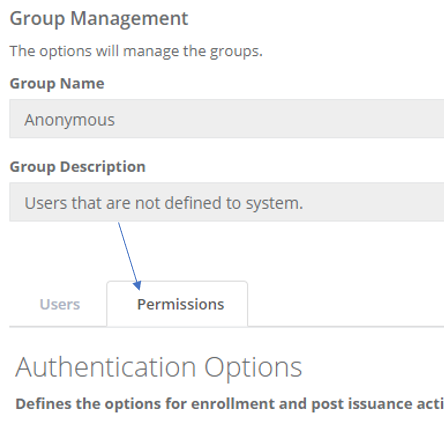
In the Group Name, enter "Anonymous" Group Description "Applicants that are not registered with the system" Click Save |
|
|
5 |
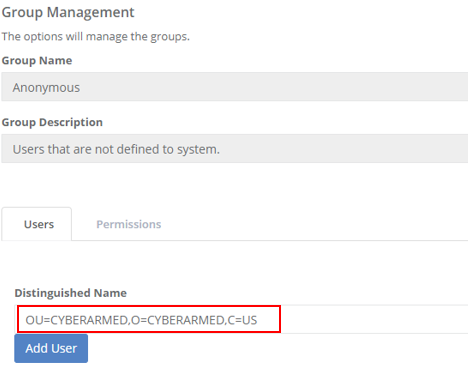
Click Manage for the Anonymous Group |
|
|
6 |
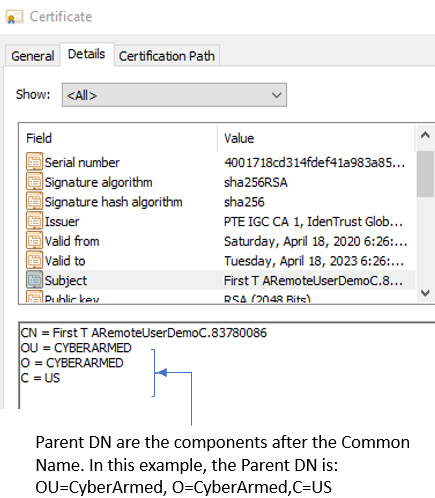
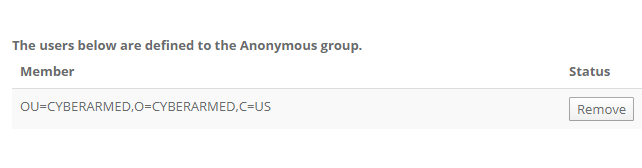
In the Distinguished Name field, enter the Parent DN of the user’s certificate into the Distinguished Name field. Then Press Add user |
|
|
7 |
The user will then appear in the member listing |
|
|
8 |
Click the Permissions Tab |
|
|
9 |
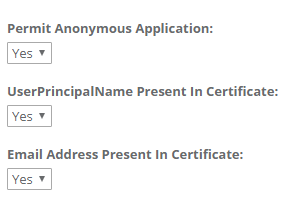
The permissions state the requirements that must be met for successful authentication. Once complete, press "Save Permission" |
|