
The enrollment officer will be responsible for collecting the applicant's identity documents. The steps below describe how to configure the roles for an enrollment officer.
Prerequisites
-
Required Permissions: System Manager Role Definitions
To Create an Enrollment Officer
Follow the steps to grant the enrollment officer necessary permissions.
|
Item |
Procedure |
Example |
|---|---|---|
|
1 |
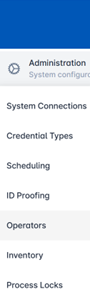
First, follow the steps in Adding a New Operator to create the officer if not already created. Navigation: Administration > Operators
|
|
|
2 |
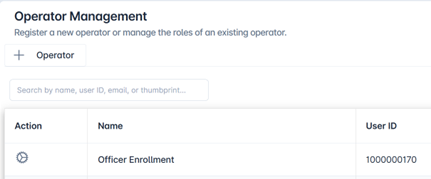
When returning to the operator management screen, locate the existing user created and click the gear button to customize. |
|
|
3 |
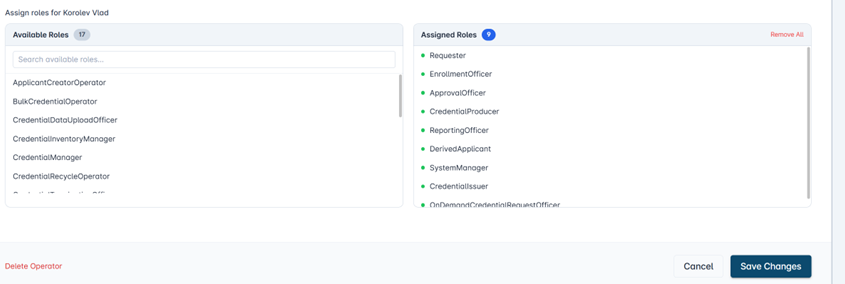
Assign the user acting as the Enrollment Officer the following permissions:
|
|
|
4 |
Scroll down and press the Save Changes button to save the changes. |
|