
The Credential Issuance Officer has the ability to encode a credential. The steps below provide the instructions for creating a credential issuance officer role.
IMPORTANT: The Credential Issuance Officer must also have "Issuance" Role assignment within the CMS. Finally, the Credential Issuer Role must NOT have the CredentialProduction role assigned.
|
Procedure |
Example |
|
|---|---|---|
|
1 |
Go to the Administrator/Operators |
|
|
2 |
Click register a new operator |
|
|
3 |
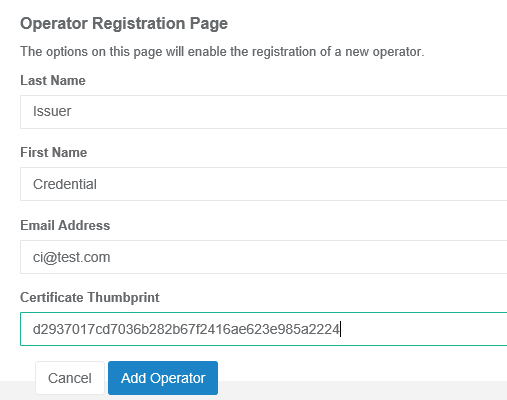
Enter the: Last Name First Name Email Address Certificate Thumbprint and press Add Operator
|
|
|
4 |
In the operator management screen, locate the Credential Issuer account and press Manage. |
|
|
5 |
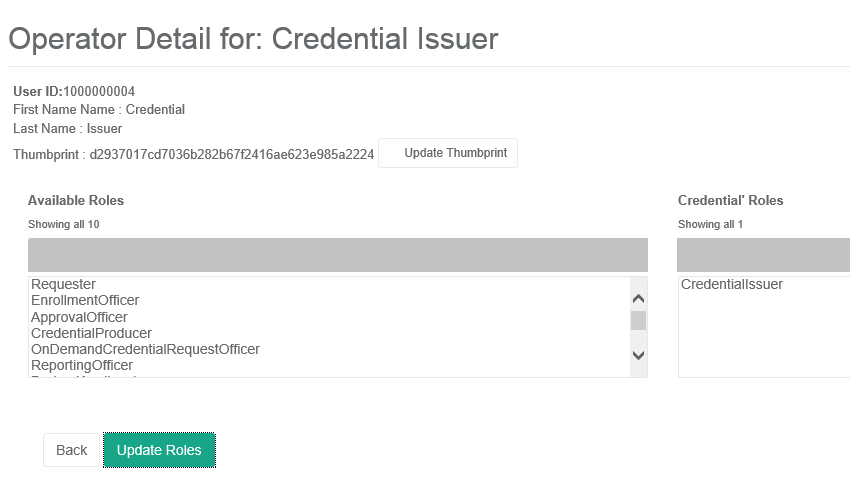
Assign the user the CredentialIssuer roles. *Important: Do not assign the CredentialProducer role as this role is used for printing the credential. |
|
Assigning the CMS roles
|
Procedure |
Example |
|
|---|---|---|
|
1 |
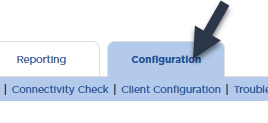
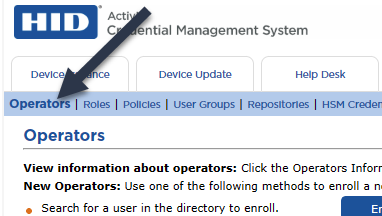
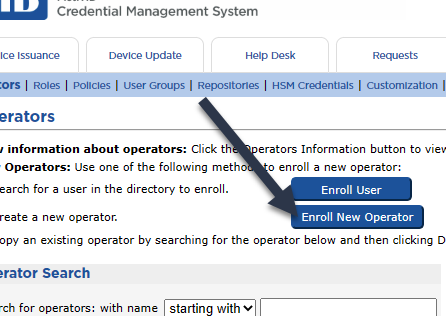
Go to the CMS Click Configuration Click Operators Click Enroll new operator |
|
|
2 |
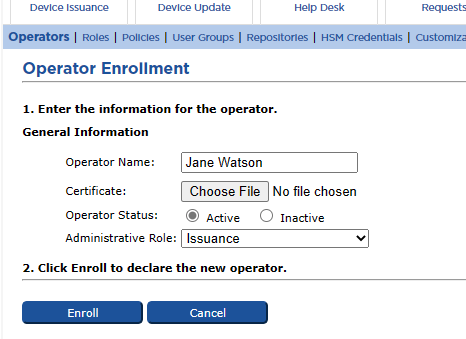
Enter the Operators name Press Choose File, and upload the certificate from their badge. Assign the Issuance role and then press Enroll |
|