Installing Trusted Certificates on Device
In order for the mobile device to trust the mobile credential issuance machine, digital certificates must be installed on the mobile device.
Installing the root certificate
|
step number |
Instruction |
Example |
|---|---|---|
|
1 |
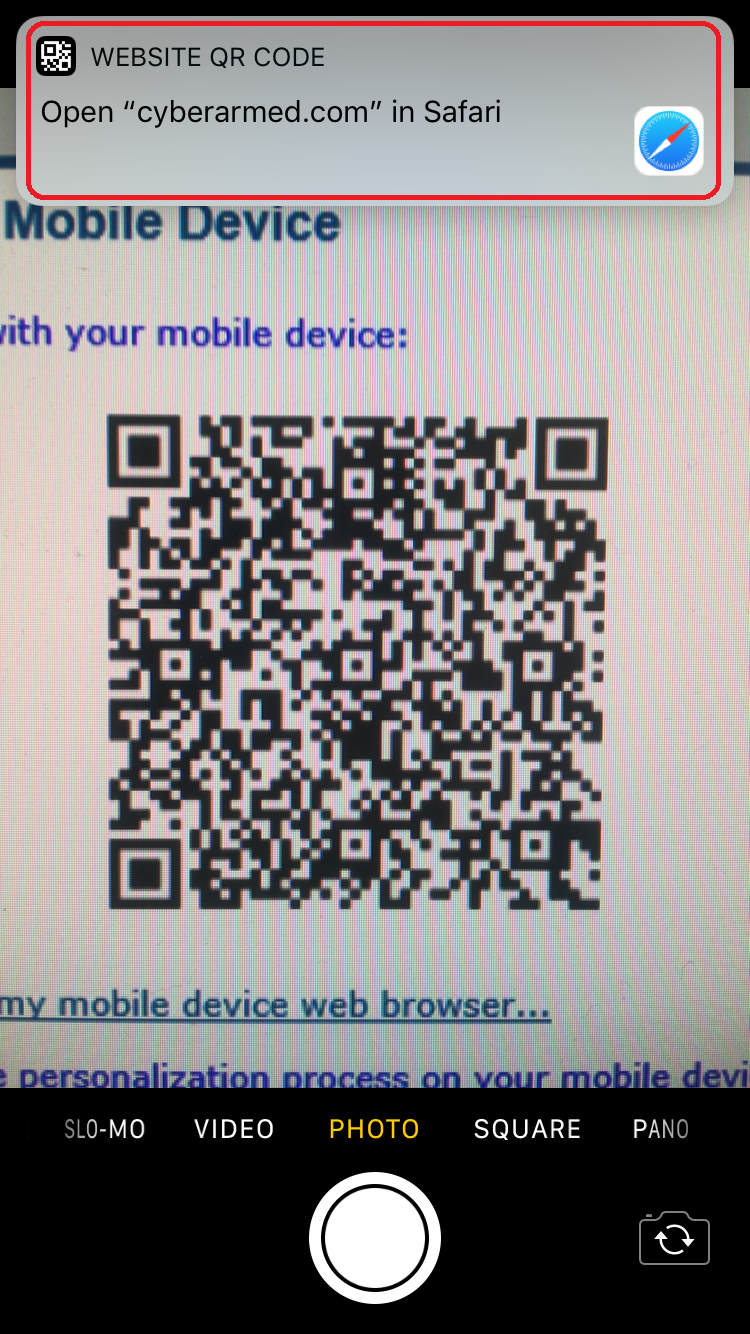
Scan the QR code with the iPhone camera application, next click on the website. Or type the following address in the mobile device's browser: |
|
|
2 |
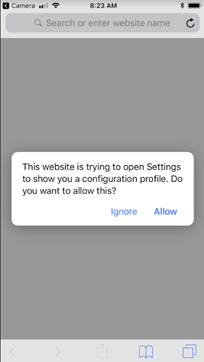
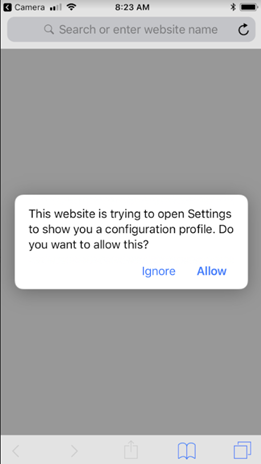
When prompted to browse to the site, press the allow button. |
|
|
3 |
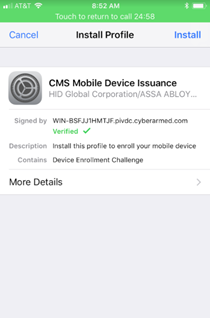
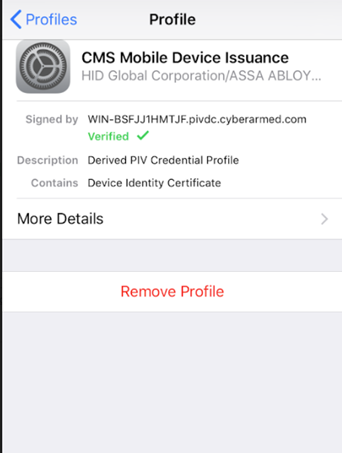
Press the install button. This will install the root certificate into the iPhone trust store. |
|

.jpg?cb=208bced11f5d87677ad7077ea1038178)
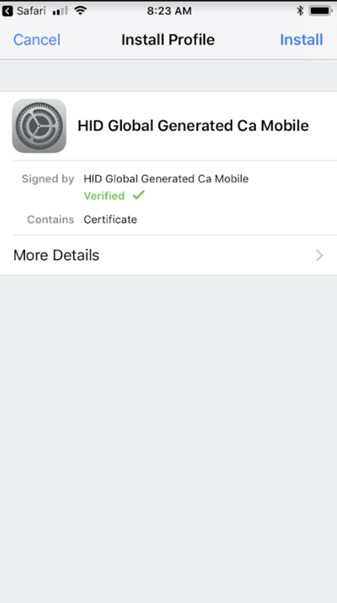
Installing the OTA signing certificate on the mobile device
|
Step Number |
Instruction |
Example |
|---|---|---|
|
1 |
Scan the QR code with the iPhone camera application, next click on the website. Or type the following address in the mobile device's browser: |
|
|
2 |
When prompted to browse to the site, press the allow button. |
|
|
3 |
Press the install button. This will install the OTA certificate into the iPhone trust store. |
|

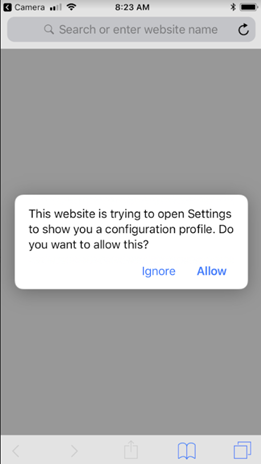
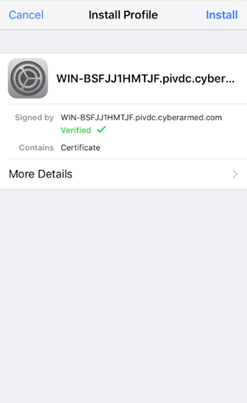
Registering an external credential.
|
Step Number |
Instruction |
Example |
|---|---|---|
|
1 |
Click apply |
|
|
2 |
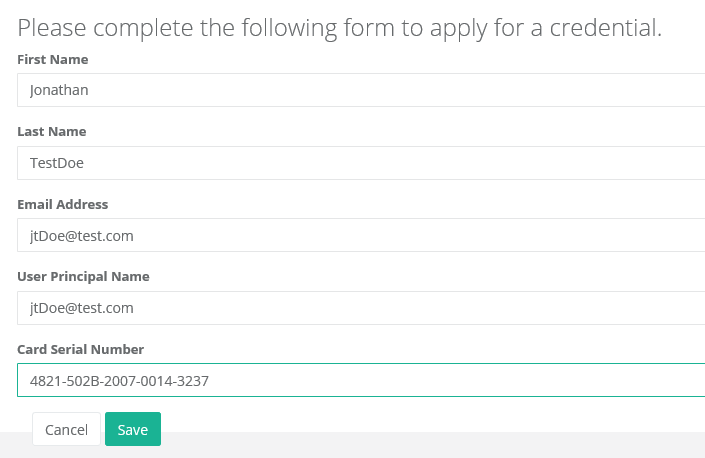
Enter the following information: First Name Last Name Email Address User Principal Name Card Serial Number (This is the serial number of the credential that will be imported. Typically found on the back of the credential of via ActivClient's smart card info feature) |
|
|
3 |
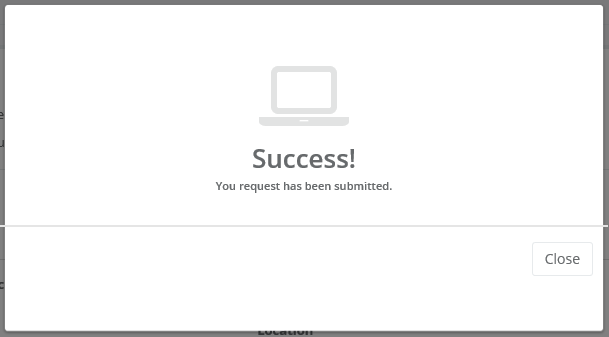
Press Save. Once complete, the success message will appear. |
|

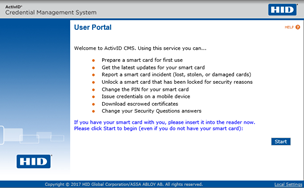
Installing The Mobile Credential
|
Step Number |
Instruction |
Example |
|---|---|---|
|
1 |
Insert the PIV Credential |
|
|
2 |
Go to: https://piv.cyberarmed.com/aims/enterprise/user |
|
|
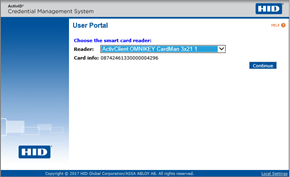
3 |
Press Next, select the card reader the PIV credential is inserted to |
|
|
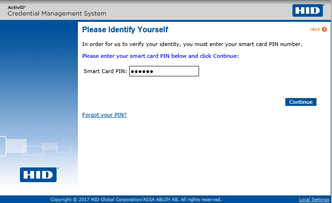
4 |
Enter the PIN of the credential |
|
|
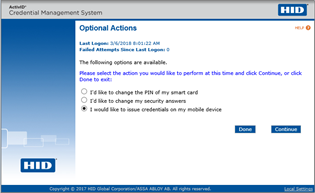
5 |
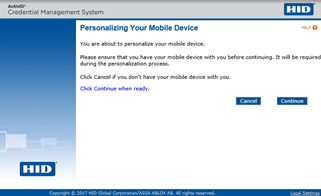
Select “I would like to issue credentials on my mobile device” and press continue |
|
|
6 |
Press continue |
|
|
7 |
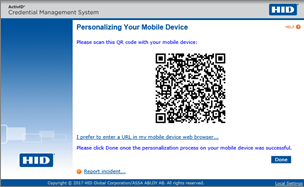
Scan the QR code with the iPhone camera application |
|
|
8 |
On the phone, click allow |
|
|
9 |
Click install profile |
|
|
10 |
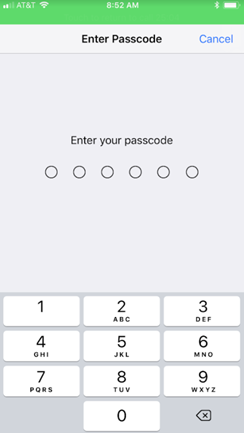
Enter the iPhone passcode |
|
|
11 |
The credential will be installed on the iPhone |
|