Requirements:
The account the IDMS server is running as must be able to access the Microsoft CA.
Create the Certificate Template
|
Step Number |
Step |
Description |
|---|---|---|
|
1 |
Open the Certificate Template Snap In |
|
|
2 |
Locate the User Signature Only Template, Click Duplicate |
|
|
3 |
Name the template PIV_SMIME |
|
|
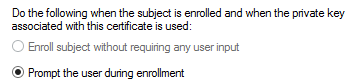
4 |
Click Request Handling |
|
|
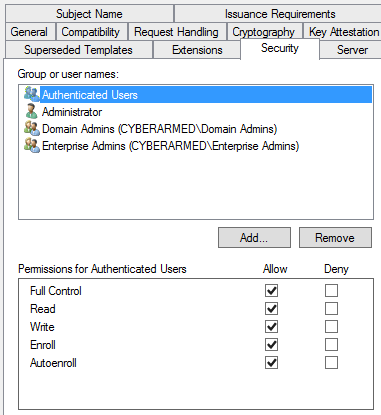
5 |
Click Security |
|
|
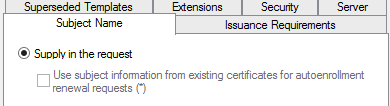
6 |
Click Subject Name |
|
|
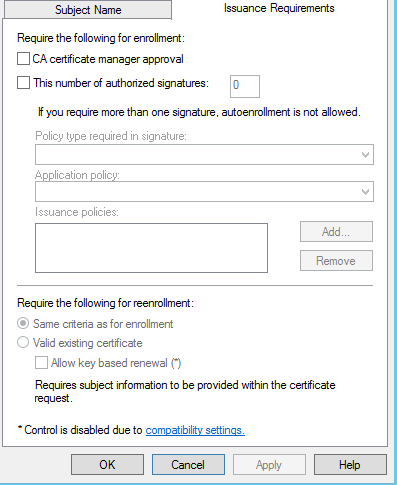
7 |
Click Issuance Requirements |
|
|
8 |
Save the template |
|
|
9 |
Go to CA, Certificate Templates, right click, New, Certificate Template To Issue |
|
|
10 |
Select Template |
|
|
11 |
Restart CA service |
|