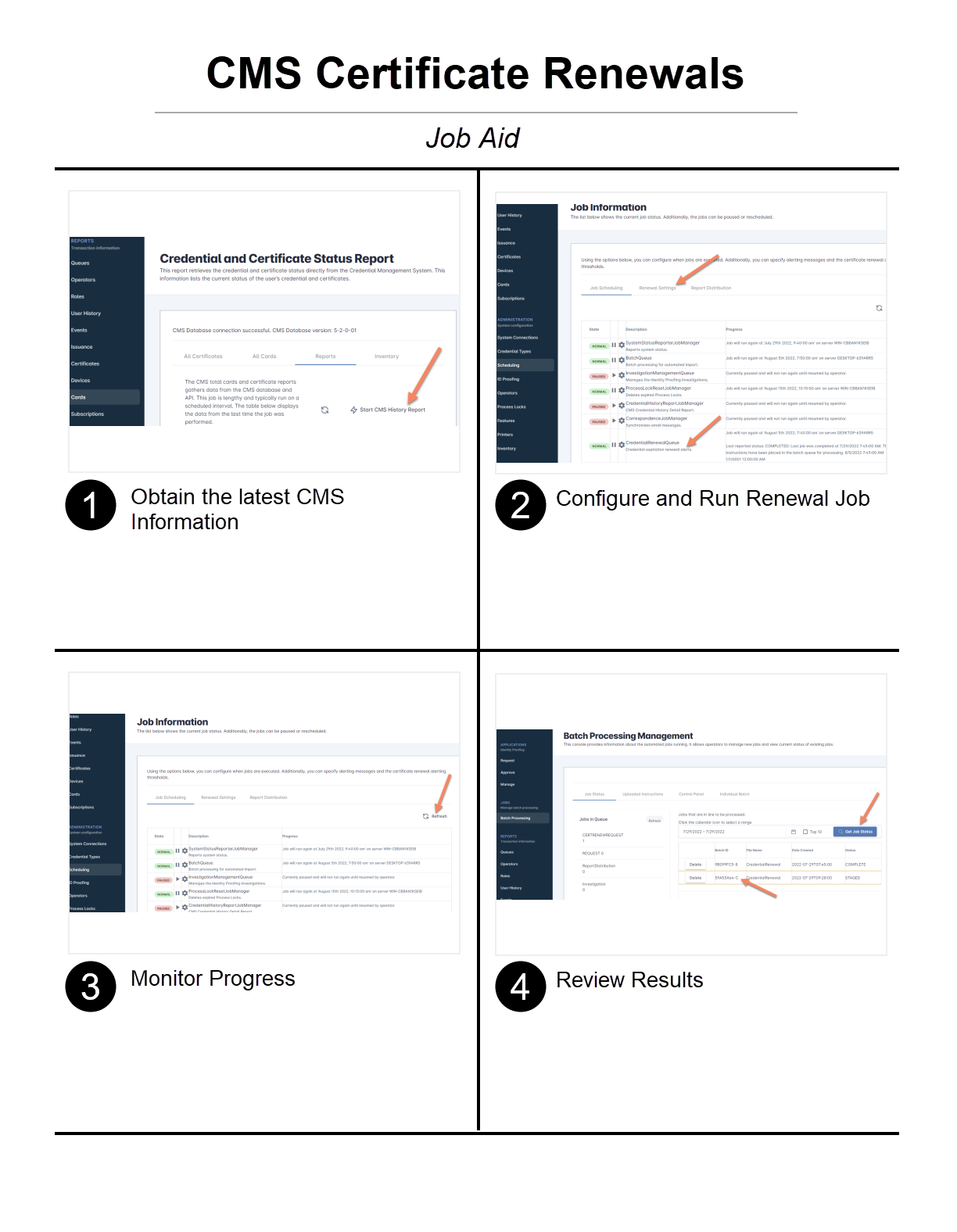
Setting Up Automated Certificate Renewal Alerts
Purpose: Configure IDMS to automatically detect expiring certificates via CMS and send email renewal alerts to affected users.
Prerequisites
-
Administrative access to the IDMS system
-
Access to the CMS source connected to IDMS
-
Knowledge of the current CMS policy assignments (if policy changes may be required)
-
At least one test user with an expiring certificate available for validation
Steps to Take for Alerting CMS Users of Expiring Certificates
|
Item |
Procedure |
Reference |
|---|---|---|
|
Step 1 |
Obtain the Latest CMS Data In IDMS, generate the Total Active Credential Report to generate a fresh report of all users and their certificate statuses. Expected result: IDMS produces a complete report listing all users and their associated certificates. |
|
|
Step 2 |
Configure Renewal Settings and Review Certificates Approaching Expiration
Expected result: You have a clear list of users who will be notified. |
|
|
Step 3 |
Update the CMS Policy (if required)
Expected result: The updated policy is saved and will be applied during the renewal process. |
Specifying a Different CMS Policy for the Credential Renewal |
|
Step 4 |
Run a Single-User Test
Expected result: The test user receives a properly formatted renewal alert with accurate certificate information. |
|
|
Step 5 |
Configure and Start the Renewal Job In IDMS, configure a scheduled job that will query the CMS report for expiring certificates and send email alerts to all affected users. Expected result: The job is created and scheduled to run. |
|
|
Step 6 |
Monitor the Job While the job is running, navigate to Scheduling, then Job Information to check the real-time status of the job. Expected result: The job status shows as running or completed without errors. |
|
|
Step 7 |
Review the Results
Expected result: All targeted users have been successfully notified, and no errors are listed. |
|
Completion Checklist
-
CMS data is current and the expiration report has been generated
-
Affected users have been identified
-
CMS policy mappings are correct (if changes were needed)
-
Single-user test completed successfully
-
Scheduled job ran and completed without errors
-
Batch processing results reviewed and confirmed