
When a credential is being renewed, a different policy may be required as part of the renewal process.
Prerequisite
-
Required Permissions: System Manager
The existing CMS policy is based on the policy that is currently assigned to the device. Even if multiple requests are made, only the CMS Policy that is currently assigned is the existing CMS policy.
How to Specify a Different CMS policy for the Credential Renewal
|
Item |
Procedure |
Example |
|---|---|---|
|
1 |
Go to Administration and click Scheduling. |
|
|
2 |
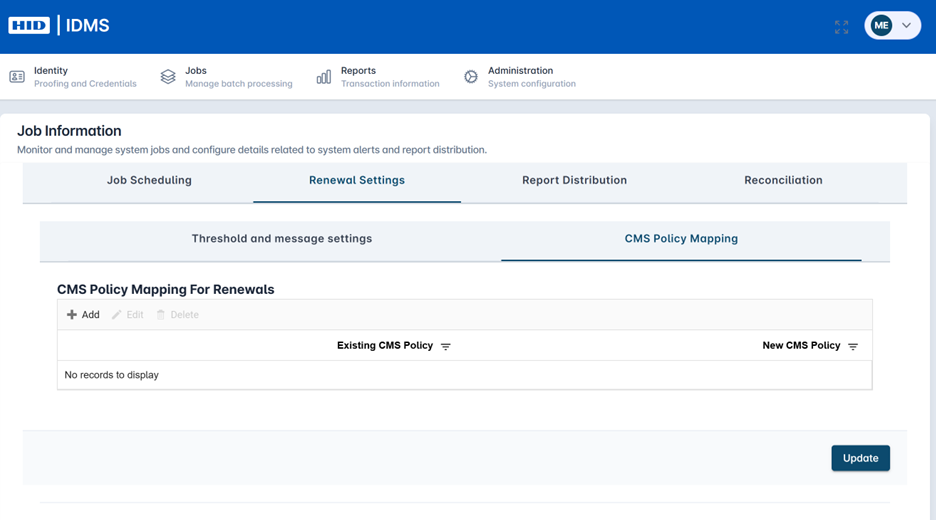
Select the Renewal Settings tab, then click the CMS Policy Mapping tab. |
|
|
3 |
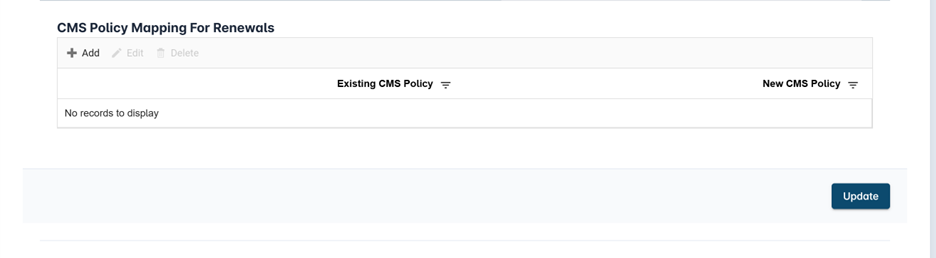
Within the CMS Policy Mapping For Renewals table, press the Add Button. |
|
|
4 |
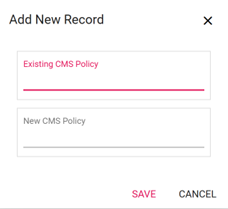
Enter the name of the existing CMS policy the account holder is currently using. Next, enter the new CMS policy to be used. Press Save. For example, if the policy named “Mfa.2023.PKI” is currently used and the new policy is “Mfa.2026.PKI, the existing CMS policy would be Mfa.2023.PKI and the New CMS Policy would be Mfa.2026.PKI. |
|