
The IDMS will communicate with the CMS using a client certificate. This client certificate must be installed in the local computer store. Also, this certificate must belong to a valid CMS operator. The instructions are below.
The Certificate will need the client authentication key usage and will need to be issued by a CA that is trusted by the IIS server and workstation.
Important: It is recommended that a dedicated certificate be created for the IDMS to avoid authentication errors. Specifically, the IDMS will use this certificate to authenticate to the CMS so it is important no other service or user share this certificate as IDMS may not be able to authenticate it the certificate is in use elsewhere.
|
Procedure |
Example |
|
|---|---|---|
|
1 |
If the certificate has not already been installed, Right click on the certificate to be installed and select Install PFX |
|
|
2 |
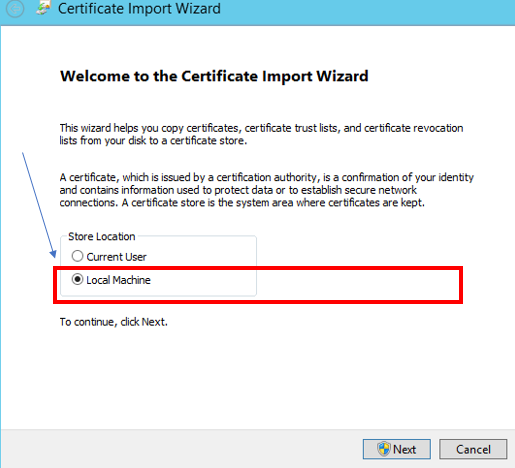
Next, select the local machine as the store location and press Next. IMPORTANT: Select Local Machine Store so that IIS is able to access the certificate. |
|
|
3 |
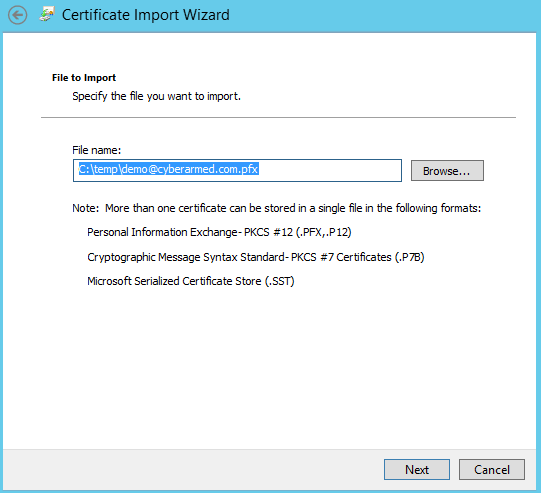
Confirm the file location and press Next. |
|
|
4 |
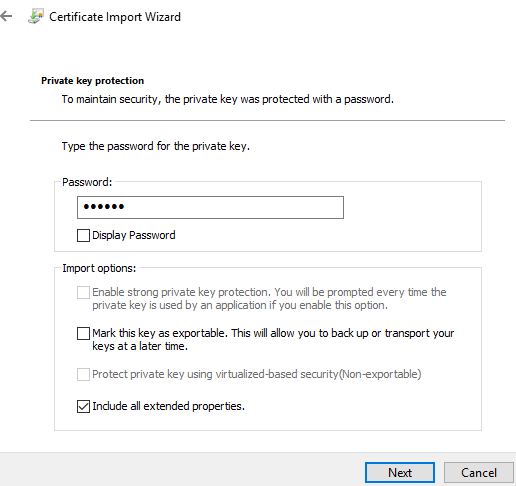
Enter the password and check “Include all extended properties” Press Next. Press Finish. |
|
|
5 |
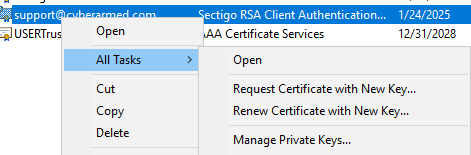
After the certificate is imported, select the certificate that was just imported and right click, All Tasks, Manage Private Keys |
|
|
6 |
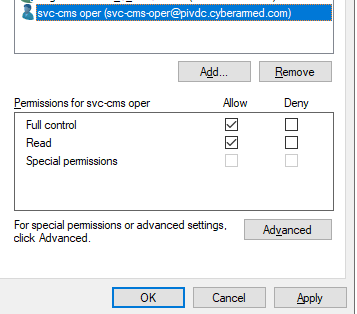
Add the account name that is running the IDMS Application Pool and give this account full control. |
|