
In the case the applicant cannot have their fingerprints enrolled, the operator can exclude certain using the process described below.
|
Procedure |
Example |
|
|---|---|---|
|
1 |
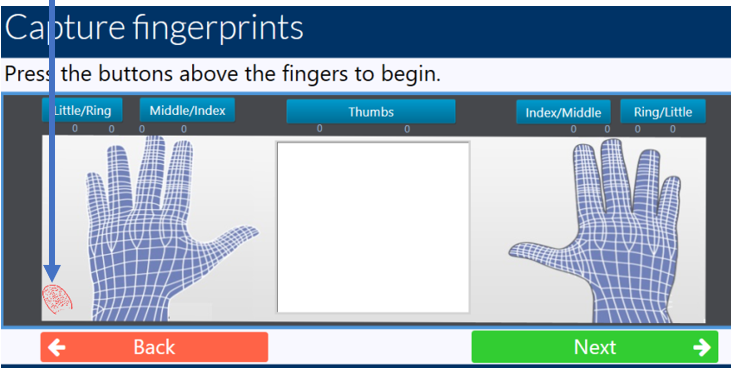
In the fingerprint capture window, press the Red fingerprint button to display the Exclude Fingerprint Window. |
|
|
2 |
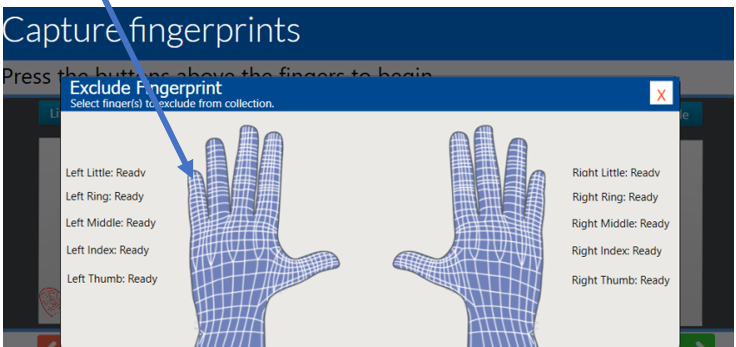
With the Exclude Fingerprint Windows, select hover over the finger tip that you want to exclude. A Red X will then appear. Press the Red X. |
|
|
3 |
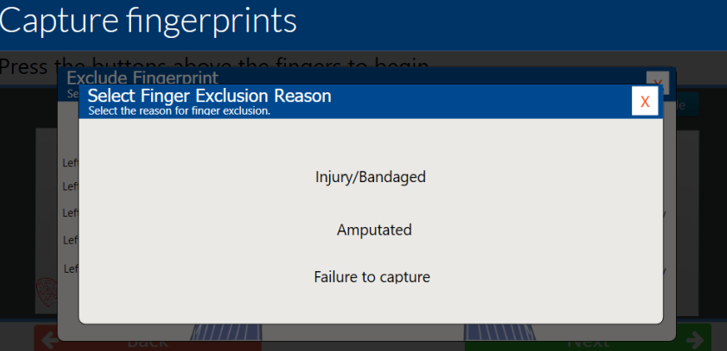
Click the reason that describes the reason for excluding the fingers. |
|
|
4 |
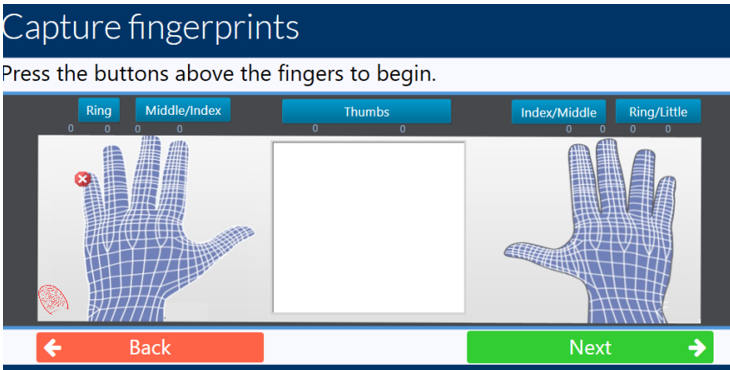
The fingerprint capture window will be updated so that the button to capture the fingerprint is not longer present. |
|