
The Identity Enrollment and Processing Queues Dashboard provides operational and management support through a real time, enterprise level view of information pertaining to the stages of current credentialing tasks.
This report is useful as it shows where the most activity is currently occurring. There is also an aging report that allows an operator to see how long a particular user has remained in a credentialing stage.
|
Item |
Procedure |
Example |
|---|---|---|
|
1 |
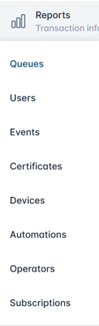
Under the Reports tab, click Queues. |
|
|
2 |
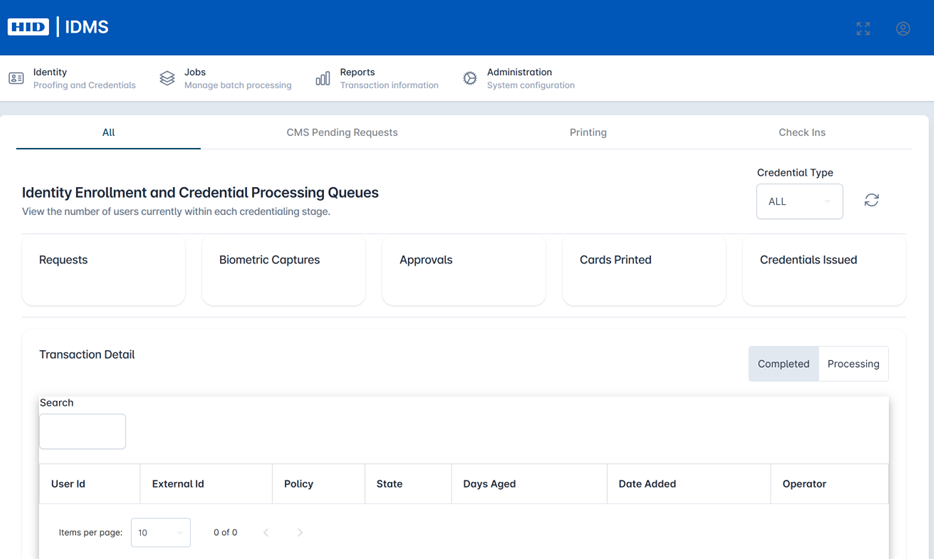
When the page loads, the report will view all of the current Queues for a given phase. The dashboard displays summary views including Requests, Biometric Captures, Approvals, Cards Printed, and Credentials Issued. Categories can be drilled into to view details of a status. |
|
|
3 |
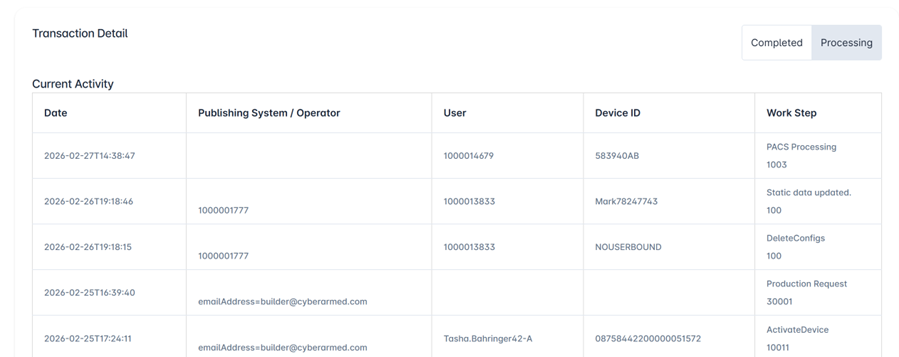
The lower half of the screen displays a table with detailed enrollment and credentialing processing information, including both completed and processing status. Fields include User ID, External Id, Policy, State, Days Aged, Date Added, and Operator. This table is searchable for user ease. |
|