
The system component log information provides detail concerning the operations of the system. This document describes each system component's logging capabilities, log levels, and how to calibrate the logging configuration.
To Change the IDMS Log Configuration
|
Item |
Procedure |
Example |
|---|---|---|
|
1 |
On the IDMS server, go to the folder C:\Program Files (x86)\CyberArmed\IDMS\WebApi OR C:\Program Files (x86)\HID Global\IDMS\WebApi and locate the web.config file. |
|
|
2 |
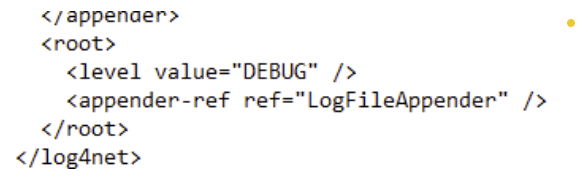
To change the logging level, locate the “level value” section and change to either ERROR or DEBUG or INFO. When complete, save the web.config. ERROR: used for logging errors and exceptions (recommended for production).
|
|
|
3 |
To change the log output location, locate the "File" param name. By default, the configuration is set to write the logs to the c:\temp folder. To change the location, update the "value" field to the location the new logs should be written to. When complete, save the web.config. |
example of new output directory "d:\applicationLogs\IdExchangeWebApi.txt". 
|