
When the IDMS cannot connect to the PivIT browser extension, perform the following procedures.
Troubleshooting steps
Verifying Browser and Web Page Connectivity
-
In the browser, click manage extensions
-
Turn on developer mode
-
Click the service worker link
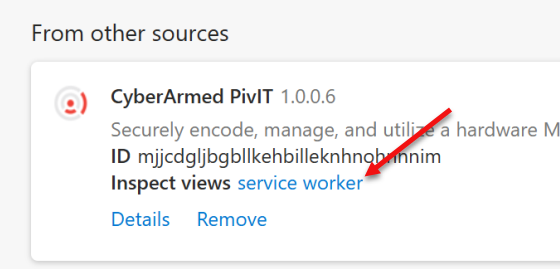
-
Review the log of the service worker.
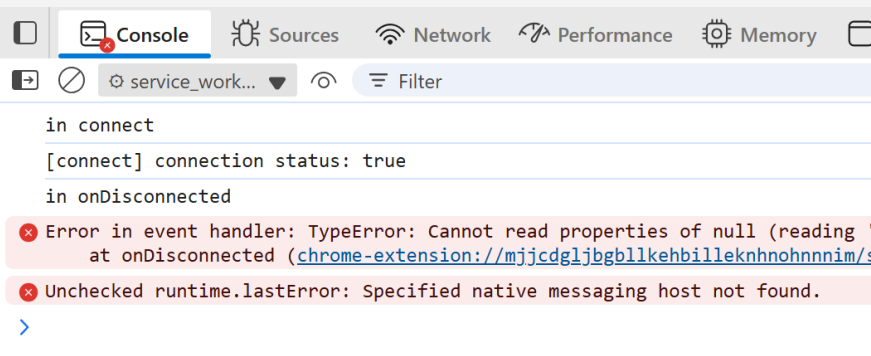
-
If the native messaging host not found, review both the HKEY_CURRENT_USER AND the HKEY_LOCAL_MACHINE registry entries to ensure the NativeMessagingHosts/com.cyberarmed.pivit is correct.
-
Review the service log to see if there is an access error:

Fix: the HKEY_CURRENT_USER NativeMessaginHosts/com.cyberrmed.pivit was pointing to the wrong folder even though the HKEY_LOCAL_MACHINE was pointing to the correct folder.

Verifying the Middleware
-
Go to C:\temp
-
Open the PivITChrome.txt and review for any errors