
The procedures below help to ensure services and systems are operational to ensure the automations are processed.
Verify the IdExchange MicroService is communicating
Login to the IDMS with the SystemManager Role
-
Click Administration
-
Click System Connections
-
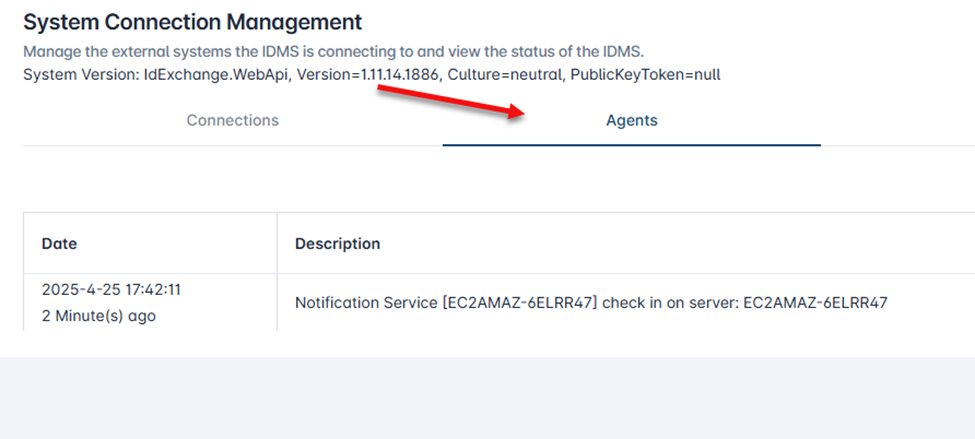
Click Agents
-
Verify that the Notification Service has connected and checked in within the last 5 minutes
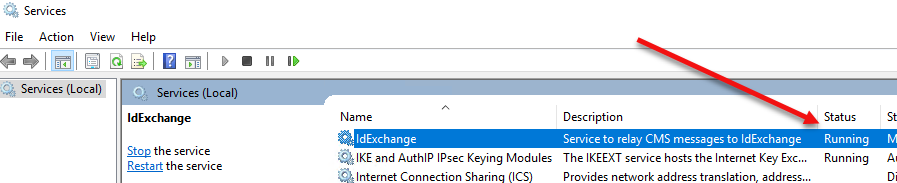
If the service has not checked in, go to the service where the IdExchange service is installed and verify that service is up and running. If not running, start the service.
Verify the Automations are working
-
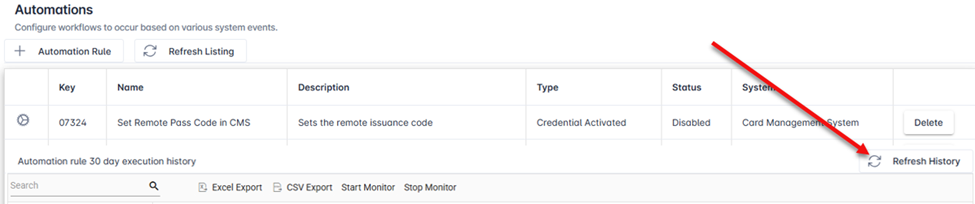
Go to Administration, Automations,
-
In the Automations window, click the “Refresh History” button and verify the automation has been run by looking at the logs in the history table.
Reconciliation Troubleshooting Steps
Go to the scheduler, are there any failures with the CredentialHistoryReportJobManager Or ReconciliationJobManager job?
Go to Reports->Devices->Total Active Credentials and refresh the report. Do the numbers look accurate?
Go to Administration->Scheduling, Get all Reports? Are there any failures? Scroll to the bottom and refresh the reconciliation job history. Search for a errors. What (if any) errors are showing.