
On-boarding IdExchange into the Azure portal
The InTune security controls require a client (in this case, IdExchange) to register and obtain application information and secure credentials. IdExchange requires the 4 settings below:
-
Tenant ID
-
Client ID
-
User name of the operator with permissions to access the Azure Directory
-
Password of the of the operator with permissions to access the Azure Directory
Entering the InTune Connection
|
|
|
|
|---|---|---|
|
1 |
Login to the IDMS portal with System Manager role |
|
|
2 |
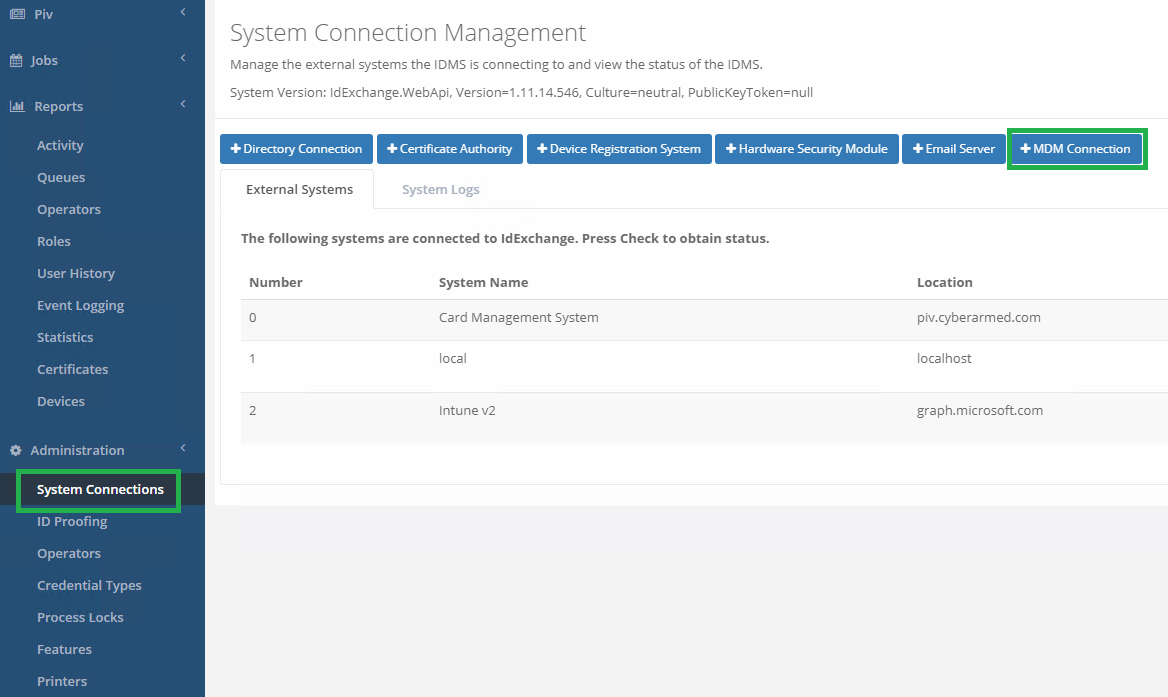
Under "Administration" press "System Connections" then "+MDM connection" in top right corner. |
|
|
3 |
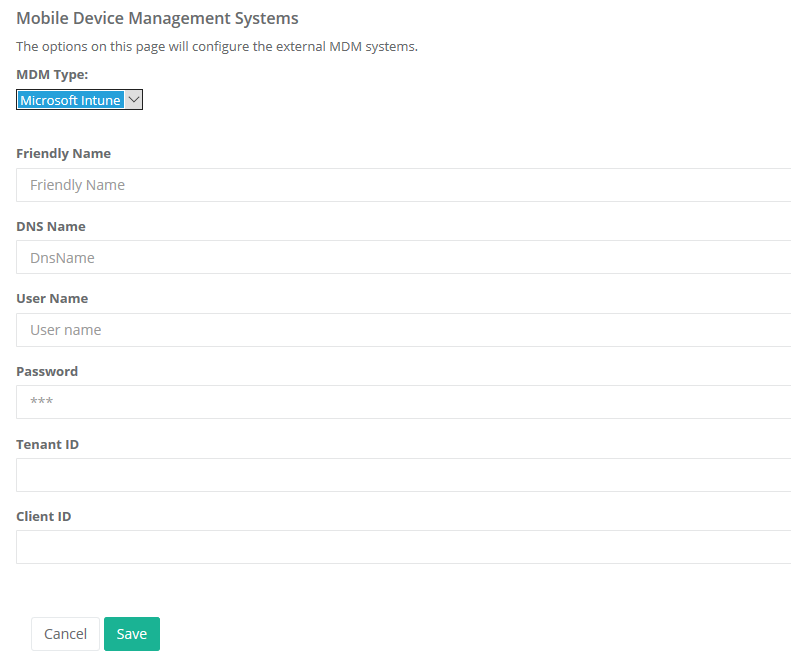
Fill out the form with the information we have gathered in steps above. MDM type : Microsoft InTune Friendly name : Users choice DNS Name : "graph.microsoft.com" User Name : User name of the operator with permissions to access the Azure Directory Password : Password of the of the operator with permissions to access the Azure Directory Tenant ID: gathered in step 6 above Client ID: gathered in step 4 above
Click Save |
|