Adding Intune CA connection to IDMS
|
|
|
|
||||||||||||||||||||||||||
|---|---|---|---|---|---|---|---|---|---|---|---|---|---|---|---|---|---|---|---|---|---|---|---|---|---|---|---|---|
|
1 |
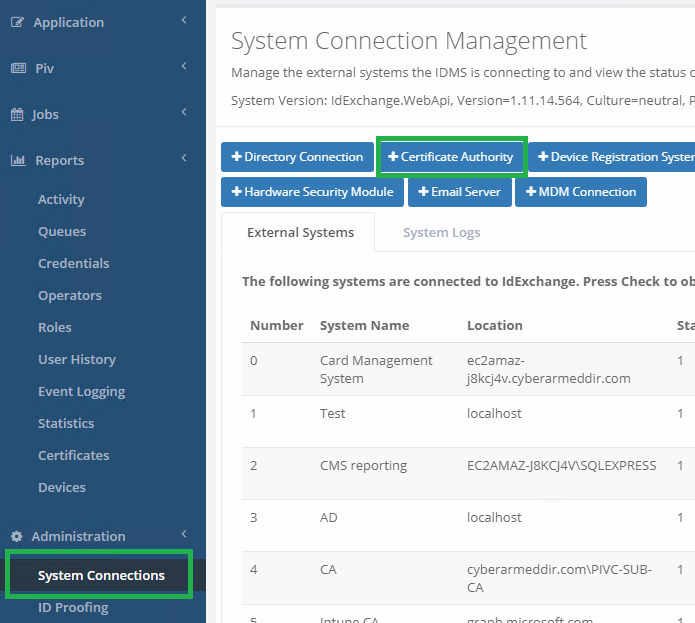
Log in to IDMS and add Certificate Authority under System Connections |
|
||||||||||||||||||||||||||
|
2 |
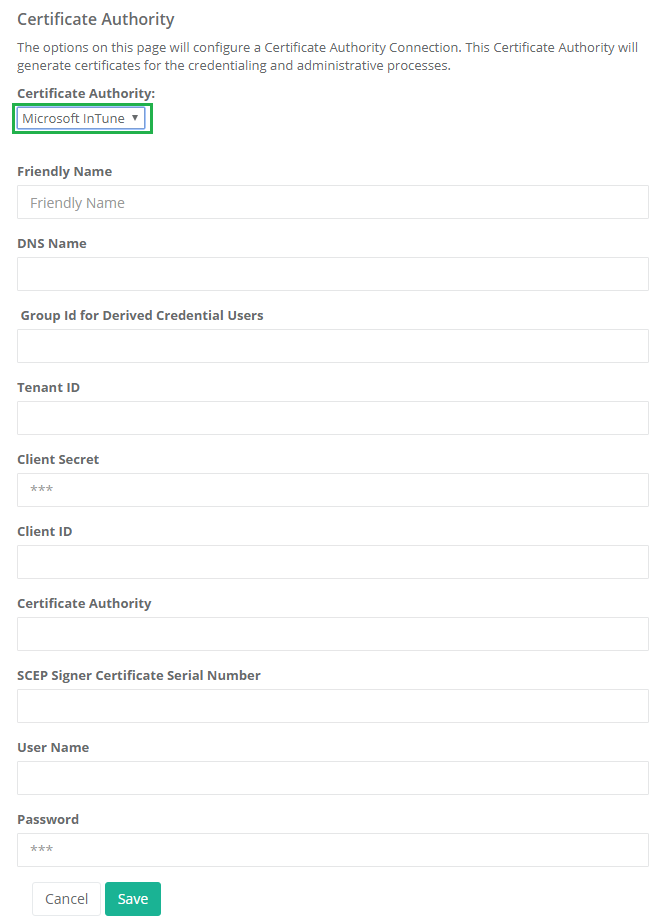
Configuration Settings
|
|
||||||||||||||||||||||||||
|
3 |
After the connection is created, click "Check" to verify the connection is successful. Expect result is "1 Successfull CA connection. Connection time: 2874 milliseconds." With no errors. |
|
||||||||||||||||||||||||||
|
4 |
Assign this CA to the user's credential Type policy so it can be used in the derived credential process. |
|