
IDMS has the ability to support connections to custom directory and identity sources. This can ensure proprietary systems can be utilized during the identity management and credentialing processes.
Prerequisites
-
System Administration user permissions are required. Role Definitions
Configuring Connection to a Custom Directory Source
|
Item |
Procedure |
Example |
|---|---|---|
|
1 |
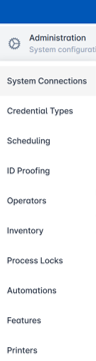
Login as with System Administrator permissions. Click Administration then select System Connections. |
|
|
2 |
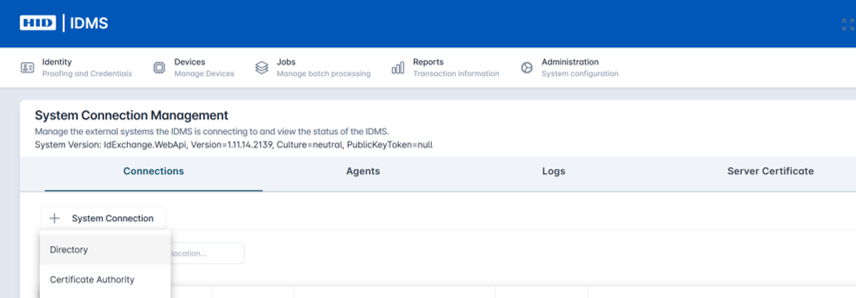
Click the + System Connection button and then select Directory from the drop down. |
|
|
3 |
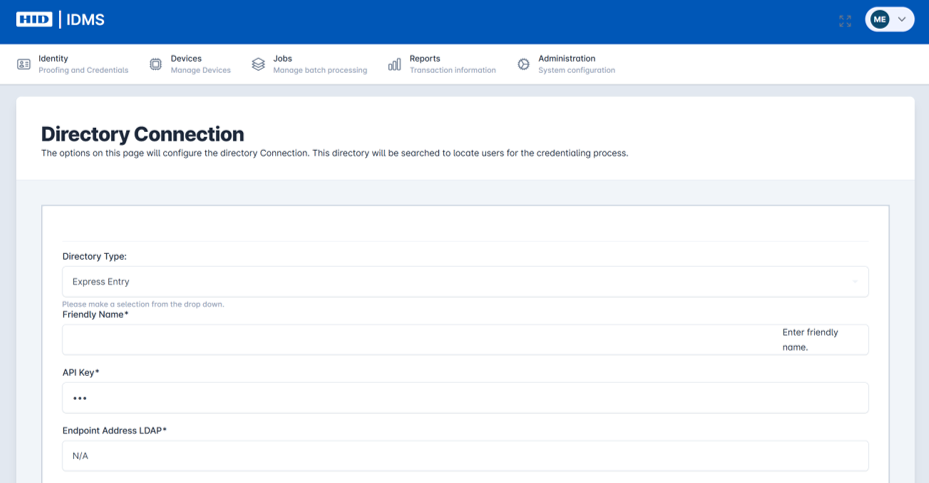
The Directory Connection screen displays. Under the Directory Type field, select Express Entry.
|
|
|
4 |
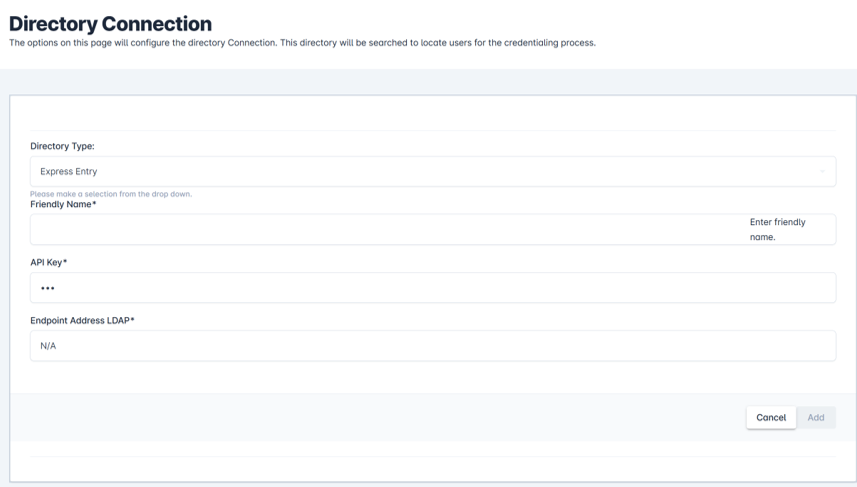
Then complete the remaining fields:
|
|
|
5 |
Press Add to save the new connection. |
|
|
6 |
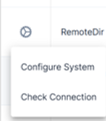
Then you can test the system connection. From the System Connections screen, select the gear button next to the listed directory and then select Check Connection. You will see an update under the Health Check field showing status and timestamp of last check. |
|