Configure the IDMS Application
The following procedures describe how to configure the IDMS to use the HSM.
NOTE: After the steps have been performed, the IIS service needs to be restarted in order for the changes to take effect.
|
Step Number |
Procedure |
Example |
|---|---|---|
|
1 |
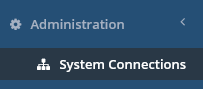
Click Administration, then System Connections. |
|
|
2 |
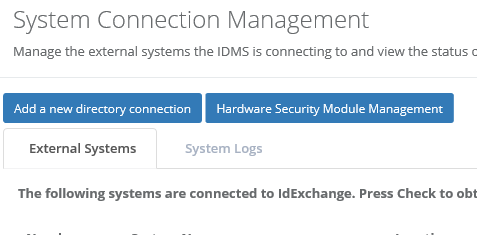
Click the Hardware Security Module Management button. |
|
|
3 |
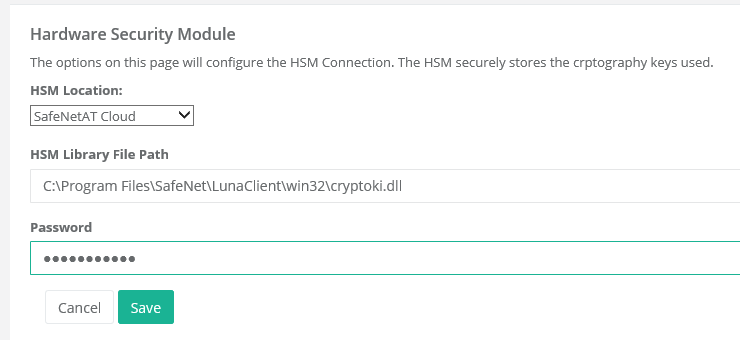
Select the HSM Location, Enter the HSM library path (For example, the Safenet Library path is: C:\Program Files\SafeNet\LunaClient\win32\cryptoki.dll) Enter the partition password Press Save. |
|
|
4 |
To test the HSM connection, go to the System Connections tab, locate the Hardware Security Module row and press check. |
|
|
5 |
Perform an IIS reset. |
|