
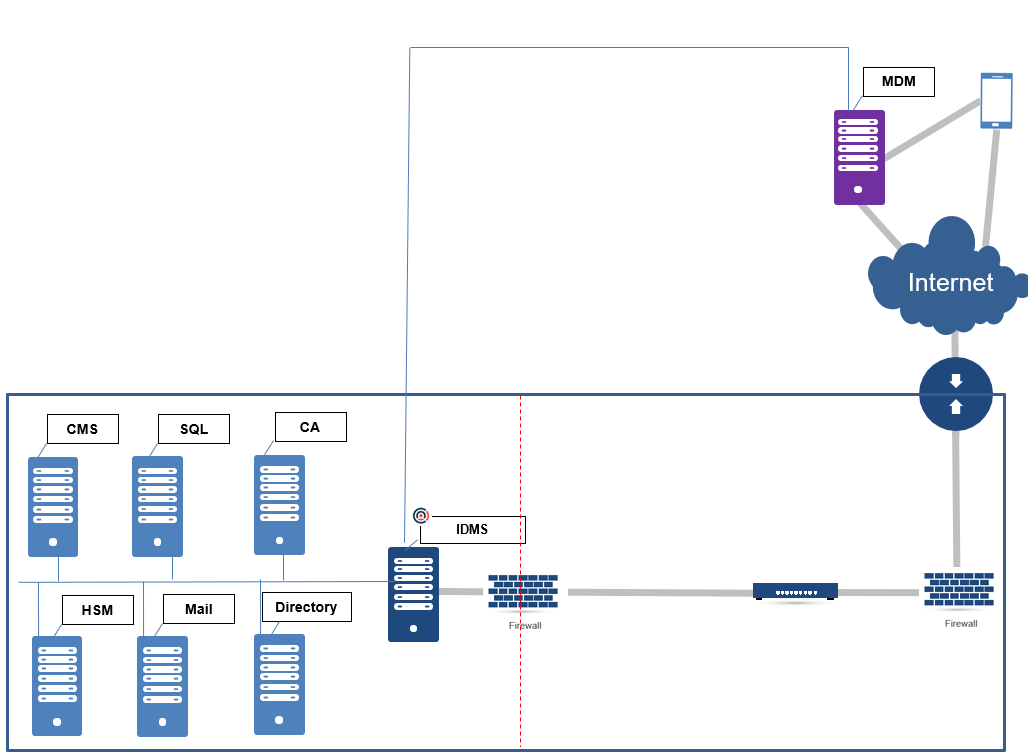
The IDMS can be configured to work with a Mobile Device Management (MDM) system to facilitate the device verification process. With the MDM support, IDMS is able to retrieve the user's device information directly from the MDM in order to automate the registration process. The IDMS can also interact directly with the HID Credential Management System as a means to distribute credentials to the device using the CMS certificate services. Therefore, when the user has been approved for issuance, the user can interact directly with the HID CMS to distribute the credential to the device.
General Architecture
The MDM is typically hosted in a cloud environment and has direct access to the mobile device. The IDMS connects only to the MDM in order to obtain device information so that the end user does not have to manually register their device.
Device Verification
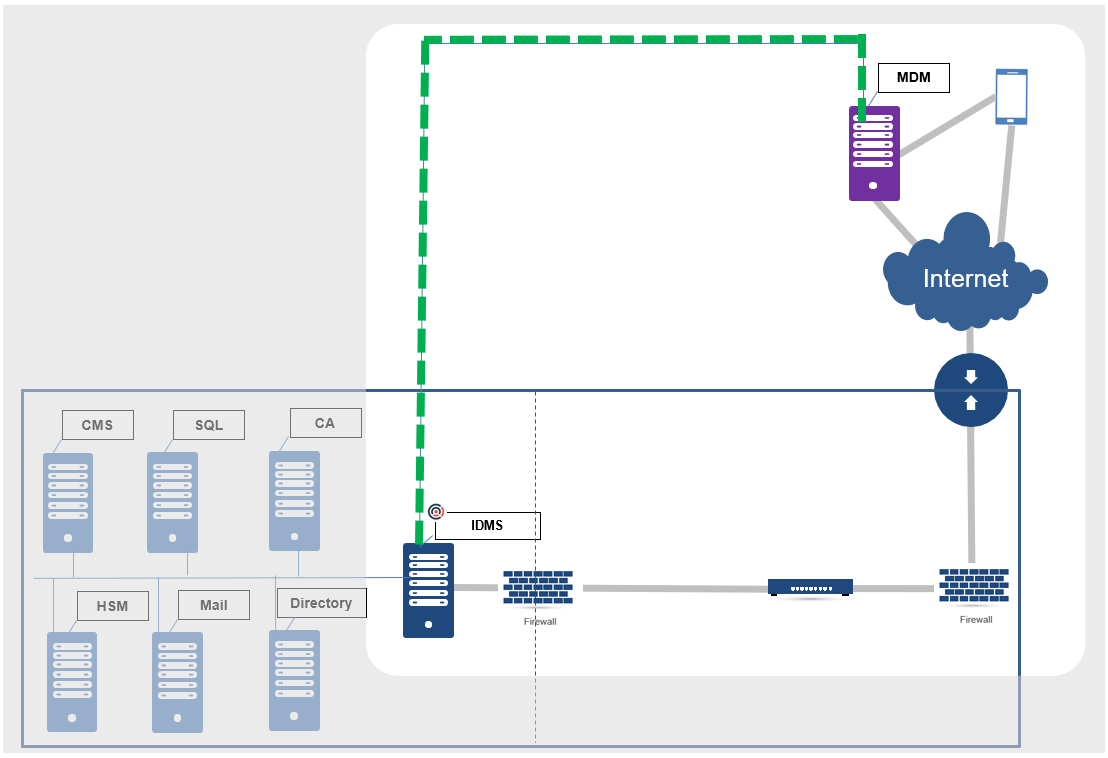
The IDMS uses the MDM to automate the registration for a user and their device. IDMS will look up the user’s device information. The security officer can then approve this device for a derived credential. The benefits of this approach is that the device information is retrieved from an authoritative source and the user does not have to manually enter any information during the registration phase.
 How Device registration and verification works
|
Step Number |
Description |
|---|---|
|
1 |
Using the self-service portal or via a search conducted by the security official, the user's email address is retrieved and sent to the MDM. |
|
2 |
The MDM looks up the user's device information based on their email address. |
|
3 |
The MDM returns to the device information to the IDMS. |
|
4 |
The IDMS inspects the device information, validates it, and then presents it to the screen. |
|
5 |
The user can choose to register this device and create a derived credential request. Later in the workflow, the security official can approve this request. |
Certificate Distribution
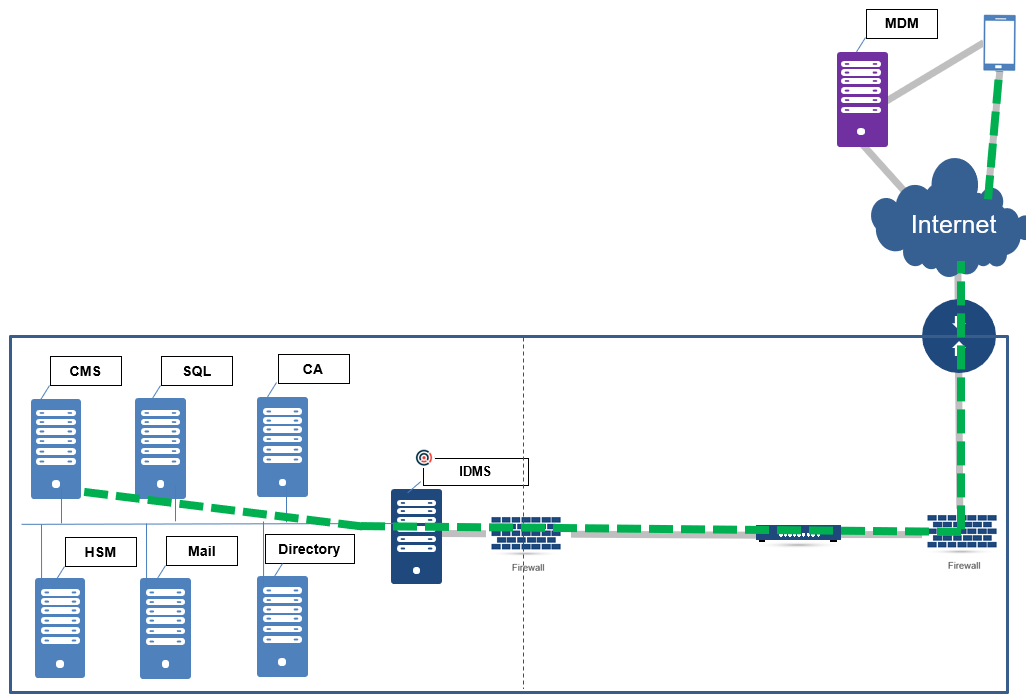
For certificate delivery, the device will interact directly with the HID credential management system to obtain the credential. The HID will interact with the device and certificate authority to create a configuration file necessary to instruct the device to generate keys and install a certificate.
How the device obtains a certificate with the HID CMS
|
Step Number |
Description |
|---|---|
|
1 |
The user creates a request and the security official approves the request. IDMS then assigns the device to the derived credential profile. |
|
2 |
The user is approved and the user begins the credential generation process |
|
3 |
The IDMS sends the request to the CMS |
|
4 |
The CMS responds with a QR Code for the user to download their credential. |
|
5 |
The user scans the QR code with their device and the device downloads the credential. |
|
6 |
The derived credential has been deployed to the device. |