
The User Management Portal (UMP) can be customized to suit different needs.The following elements can be customized:
|
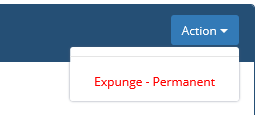
Identity Management Button |
|
|
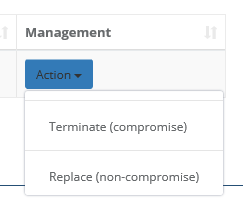
Credential Management Button |
|
Steps to perform
|
Step Number |
Procedure |
Example |
|---|---|---|
|
1 |
Open the IdExchange Database |
|
|
2 |
Open the IdExchange.Branding Table |
|
|
3 |
To change the Identity Management Button, add the following to the database: AssetView = UserManagementPortal ObjectName = vm.labelActionExpunge = "Expunge - Permanent" |
|
|
4 |
To change the Credential Management Terminate Button AssetView = UserManagementPortal ObjectName = vm.labelCredentialActionTerminate = "Terminate (compromise)" |
|
|
5 |
To change the Credential Management Replace Button AssetView = UserManagementPortal ObjectName = vm.labelCredentialActionReplace = "Replace (non-compromise)" |
|


