
To implement a custom welcome screen
-
Stop IIS
-
Go to the folder: IDMS_INSTALL_PATH\IDMS\Idms\assets\i18n
-
Ope the en.json file
-
In the welcomeBannerHeader section, enter the Banner text. For example, “Privacy Statement”
-
In the welcomeBannerDetail section, enter the text detail for the Welcome screen. An completed example is below:
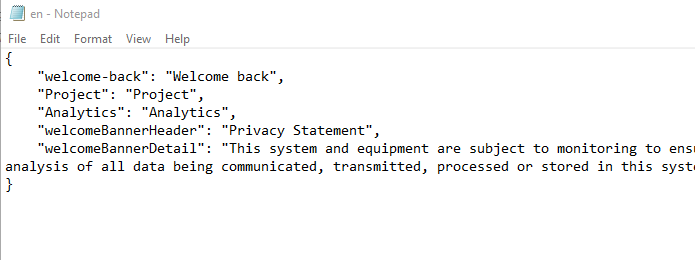
-
Save the en.json file
-
Restart IDMS