To prevent accidental concurrent processing of certain transactions, IDMS will place process locks on user records. This ensures only one operator can process the user at a time. Although these locks are typically released at the end of the transaction lifecycle, certain conditions such as transaction abandoning may result in the process lock remaining in place. To provide a way to periodically remove expired process locks, IDMS will run an automated job that will remove all process locks. The instructions detail how to configure the job and then start and pause the job.
Recommendation: It is recommended that the process lock reset job only runs at a frequency of at least 60 minutes. Any shorter duration may result in the process lock being removed during a transaction sequence which may interrupt the original transaction.
Configuration Steps
|
Step Number |
Description |
Example |
|---|---|---|
|
1 |
Click Administration, Scheduling. The Job Information panel will display. |
|
|
2 |
Locate the ProcessLockResetJobManager Job |
|
|
3 |
Click the Gear Icon to display the schedule configuration panel |
|
|
4 |
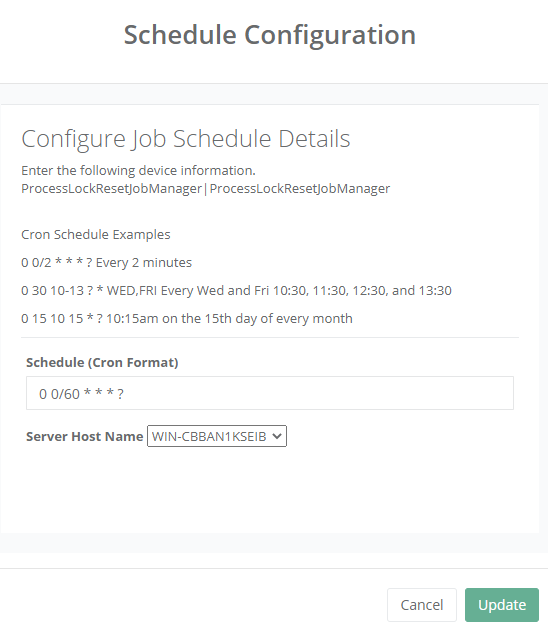
Within the Schedule Text Entry, enter a cron configuration. For example: 0 0/60 * * * ? Means the job will run Every 30 minutes
Select the server host name where the job should run
Press Update to save the configuration. |
|
|
5 |
To start the job, press the Play button.
|
|
|
6 |
To pause the job, press the Pause button |
|