
The IDMS system implements different roles to enforce separation of duties in the credentialing process. Specifically, different roles are responsible for different operations. The table below provides the role information. For role definitions, please refer to the IdExchange security guide, IDMS security reference section.
Important: To ensure a single operator cannot both enroll a user and print their card, the system will not permit these two roles to be assigned to the same user. If these roles are assigned to the user, an error will be displayed.
Prerequisites
-
Log on as System Manager (required permission)
-
Officer should be already setup in the system. Adding a New Operator
-
Determine roles needed for job function. Role Definitions
Steps to Assign Roles
Use the following steps to assign and edit roles for existing operators.
|
Item |
Procedure |
Example |
|---|---|---|
|
1 |
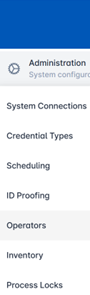
Log on as a System Manager and go to the Administration section, then click Operators. |
|
|
2 |
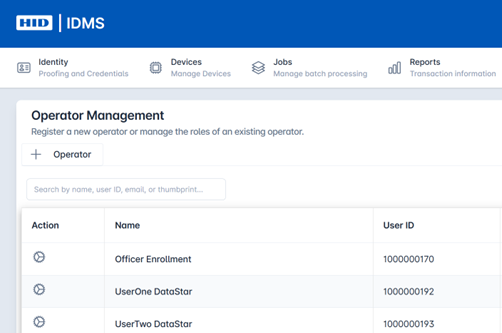
From the list of operators, locate the user and press the gear button. |
|
|
3 |
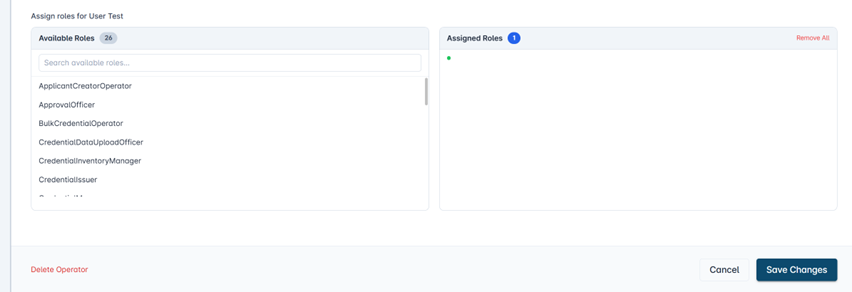
Use the selection arrow keys to assign the user the intended roles and permissions as needed. |
|
|
4 |
Scroll down and press the Save Changes button to apply the changes. |
|